
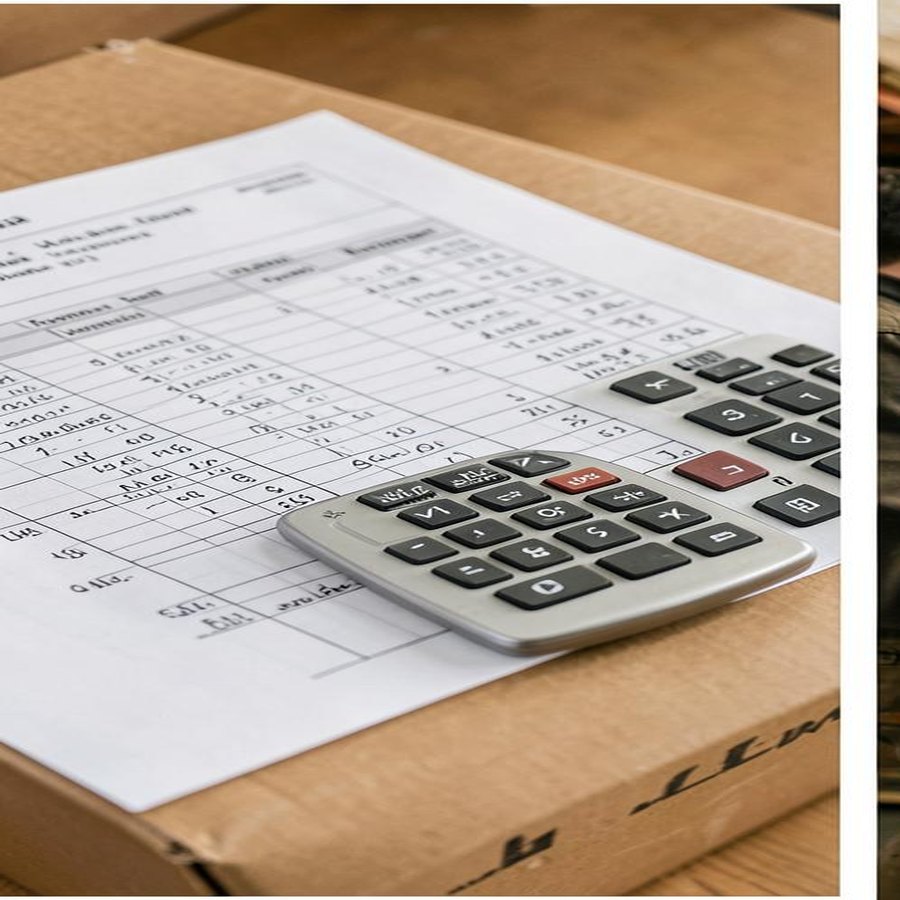
A liquidation pallet manifest is an inventory document describing merchandise assigned to a particular lot. Depending on the seller and load, it may identify individual products, quantities, condition descriptions, and reference retail prices. Its practical purpose is to help a reseller understand what is being offered before committing money, storage space, and processing time.
The important distinction is between an itemized manifest and a category-level description. Both can help you evaluate inventory, but they answer different questions. Neither should be treated as proof that every item is complete, functional, or ready to list for sale.
This guide explains how to interpret those documents, compare pallets with truckloads, and identify the details that require clarification. At PalletCove Liquidation, all merchandise is sold as-is for resale; a sound buying decision starts with understanding both what the listing documents and what remains unknown.
Manifested vs. category-level liquidation loads
A manifested load comes with an itemized inventory record. The detail can vary: one manifest may list model numbers and quantities, while another contains abbreviated descriptions with limited condition information. “Manifested” describes the available documentation, not a condition grade or testing standard.
A category-level load is described primarily by merchandise type, such as tools, apparel, household goods, or general merchandise. Its listing may provide pallet counts, estimated piece counts, source information, photos, and an overall condition description without identifying each product.
For context on how inventory enters this market, start with the liquidation inventory overview. The guide to liquidation pallet types explains why merchandise source, category, and condition are separate buying considerations.
| Question | Itemized manifest | Category-level description |
|---|---|---|
| --- | --- | --- |
| Which products are included? | May identify products by description, SKU, UPC, or model | Usually identifies departments or broad product groups |
| How many units are included? | May show quantities for each line | May provide a total or estimated count only |
| What condition should I expect? | May include line-level or load-level descriptions | Usually provides an overall condition description |
| Can I plan individual listings? | Sometimes, when identifiers are detailed enough | Usually requires receiving and sorting first |
| What still needs verification? | Completeness, testing status, count basis, and document scope | Product mix, count basis, condition scope, and available documentation |
Pallets and truckloads can use either documentation approach. A truckload is a shipment scale, not a promise of an itemized manifest. A full trailer also does not automatically mean one uniform category or condition.
Browse general merchandise liquidation inventory and liquidation truckload inventory with that distinction in mind: the specific lot documentation matters more than the category name.
Read a liquidation pallet manifest field by field
Start by matching the document to the exact listing. Check the lot number, document date, and any revision identifier. Ask whether it covers one pallet, several pallets, or the entire offered truckload.

Product identifiers and descriptions
A SKU is usually an internal inventory identifier; a UPC identifies a trade item; a model number can distinguish versions within a product family. These fields are useful, but they are not interchangeable. An internal SKU alone may not tell you the model, color, size, or included accessories.
Read abbreviated descriptions cautiously. A line labeled “appliance accessory” is less useful for listing preparation than a specific model and part description. Where identifiers conflict, ask for clarification rather than choosing whichever description appears more valuable.
Quantities, units, and totals
Confirm what a quantity represents: individual items, retail multipacks, cases, or sets. Ten cases are not necessarily ten saleable units, and ten components do not necessarily make ten complete products.
- Add line quantities and compare them with the document total.
- Check whether totals are exact, estimated, or otherwise qualified.
- Look for duplicate lines, blank quantities, and missing descriptions.
- Confirm whether the manifest includes every pallet in the listing.
- Ask whether packaging, accessories, or parts appear as separate entries.
Reference values and condition notes
A retail-price column is a reference field, not an appraisal of current resale demand. If an extended value appears, check whether it equals quantity multiplied by the listed unit reference price. Even correct arithmetic does not establish achievable selling prices.
Read footnotes and condition codes before relying on totals. Ask whether information comes from source records, a seller count, or physical inspection. A useful manifest should be evaluated according to how it was created, not simply how detailed its spreadsheet looks.
Key takeaway: A manifest describes recorded inventory. It does not, by itself, establish working condition, completeness, authenticity, or achievable resale prices.
Separate merchandise source from condition grade
Terms such as customer returns, overstock, and shelf pulls explain aspects of inventory history. They do not provide a universal condition standard. Condition grade labels also vary among suppliers, so request the definition attached to the specific lot.
| Term | General meaning | What to clarify |
|---|---|---|
| --- | --- | --- |
| Customer returns | Merchandise returned through a retail channel | Testing status, missing components, wear, and packaging |
| Overstock | Inventory exceeding a seller’s current needs | Packaging condition, age, assortment, and storage effects |
| Shelf pulls | Merchandise removed from retail shelves | Labels, display wear, packaging damage, and completeness |
| Salvage | Inventory generally intended for repair, parts, or material recovery | Usable components, safety limitations, and disposal needs |
| Mixed condition | More than one condition grouping within the lot | Which descriptions apply and whether any breakdown exists |
“Untested” does not mean working or broken; it means functionality has not been established through the testing described. Likewise, intact packaging is not proof of an unused or complete product.
Retailer names and tier numbers should not substitute for condition definitions. When reviewing the Amazon General Merchandise Truckload listing or Home Depot Tier 2 Truckload listing, verify the current lot’s documentation rather than inferring contents or condition from its name.
PalletCove Liquidation is an independent reseller and is not affiliated with, endorsed by, or sponsored by any retailer named. For additional context on return inventory, read how to evaluate Amazon return pallets.
Use the manifest to evaluate pricing and workload
Begin with the listed purchase price and the confirmed unit basis. At PalletCove, freight is included in the listed price. Free shipping is the only delivery option, on every order, to all 48 contiguous states. PalletCove also covers sales tax on qualifying orders; confirm whether your order qualifies rather than assuming eligibility.
Dividing the listed lot price by its documented unit count gives an average acquisition cost per recorded unit. That figure is useful for comparing similarly documented lots, but it is not the cost per ready-to-sell item. Missing parts, unsaleable merchandise, bundles, and inconsistent counting methods can change its usefulness.
Build a separate processing budget for:
- Receiving, unloading, sorting, and inventory entry.
- Testing, cleaning, repairs, and replacement accessories where appropriate.
- Photography, listing, storage, and packaging materials.
- Marketplace expenses and shipping your outgoing customer orders.
- Responsible recycling or disposal of merchandise you cannot resell.
Evaluate concentration as well as total quantity. A load dominated by one model or size can require a different selling plan from an assorted liquidation pallet. For category-level inventory, leave room in your staffing and storage plan for an unknown mix rather than assigning unsupported values to unseen products.
Use the liquidation pallet buying guide to organize purchasing checks, and the truckload purchasing guide when assessing full-trailer capacity and receiving needs.
Confirm the lot, documentation, and payment before ordering
Treat the product listing, manifest, photos, and applicable policies as a set. Save copies of the information available when you order so you can compare the delivered shipment against the documented offer.
Before payment, work through these steps:
- Confirm the exact lot and whether its documentation is itemized or category-level.
- Ask whether photos show the offered inventory or representative merchandise.
- Verify pallet counts, quantity definitions, condition language, and testing disclosures.
- Resolve material contradictions between the listing and manifest in writing.
- Confirm the listed price, delivery address, receiving arrangements, and applicable tax qualification.
- Review the ordering terms and any return or claim requirements.
PalletCove accepts credit/debit card, ACH bank transfer, and domestic bank wire. Review the payment policy for applicable details. Handling takes 1–3 business days after payment clears; initiating a payment does not necessarily mean it has cleared.
A resale certificate documents a buyer’s resale status for applicable tax purposes. Ask what documentation is required for your order and jurisdiction. PalletCove’s coverage of sales tax on qualifying orders does not replace your own obligations when you later sell merchandise.
Prepare for shipping and delivery-day inspection
Transit is typically 3–7 business days from Dallas, following the 1–3 business-day handling period after payment clears. These are separate stages, so plan receiving availability around both rather than treating transit time as the complete ordering timeline.
Free shipping is the only delivery option for every PalletCove order to all 48 contiguous states, with freight included in the listed price. Review the shipping policy and confirm that the receiving location can accommodate the shipment.
LTL means less-than-truckload: freight shares trailer space with other shipments. Full-trailer receiving requires planning for a larger unloading operation. Confirm the shipment format, site access, unloading equipment, and staffing before dispatch; do not assume a residential address or small storage unit can receive every load.

On delivery day:
- Match the shipment identifiers and pallet count to the shipping paperwork.
- Photograph visible pallet condition, wrap, labels, and damage before disturbing the load, where safe and practical.
- Note visible damage or apparent shortages accurately on the delivery record before signing.
- Retain copies of the delivery record and relevant labels.
- Move inventory into a secure sorting area and document concealed issues as discovered.
The bill of lading and delivery receipt concern shipment movement and receipt; they do not replace an itemized merchandise manifest. Counting pallets at the dock is also different from reconciling individual units after unpacking.
Reconcile inventory, review claims, and avoid common mistakes
After receiving, reconcile documented products and quantities against the physical inventory. Keep the original manifest unchanged and create separate columns for received quantity, observed condition, missing components, and inspection notes. For category-level loads, build your own receiving inventory instead of attempting a line-by-line comparison that the seller’s document cannot support.
All PalletCove merchandise is sold as-is for resale. Do not assume buyer’s-remorse returns, replacements, or reimbursement for nonworking products. Consult the refund and claims policy for applicable eligibility, deadlines, documentation, and procedures before ordering.
If a potential discrepancy arises, document it promptly and contact PalletCove with the order number, relevant manifest lines, photos, delivery records, and a clear factual description. Keep packaging and merchandise available while you seek instructions. Reporting an issue does not establish that a claim will be accepted.
Common mistakes include treating reference retail totals as expected revenue, reading “customer returns” as “tested,” and assuming every product photograph depicts the exact lot. Another is preparing resale listings before verifying models, accessories, and condition. Check applicable product-safety requirements, recalls, expiration dates where relevant, and marketplace restrictions before offering received merchandise for sale.
Frequently asked questions
Does every liquidation pallet have a manifest?
No. Some loads have itemized manifests, while category-level loads provide broader descriptions and may include counts or photos. Confirm what documentation accompanies the exact lot before ordering.
Does a manifest guarantee that everything works?
No. Product identifiers and quantities do not establish functionality or completeness. Read the condition grade, testing disclosures, and listing terms; all PalletCove merchandise is sold as-is for resale.
Can I estimate resale proceeds from the retail-value column?
The retail-value column is not a reliable forecast of resale proceeds. Actual selling outcomes depend on verified condition, product demand, completeness, selling restrictions, and your operating costs.
Is a category-level truckload necessarily a worse purchase?
No; it offers less item-level visibility, which creates different planning demands. Suitability depends on your ability to sort, test, store, and sell the assortment described, without assuming undocumented contents.
How long does a PalletCove shipment take?
Handling takes 1–3 business days after payment clears, and transit is typically 3–7 business days from Dallas. Free shipping is the only delivery option on every order to all 48 contiguous states, with freight included in the listed price.
Talk to PalletCove Liquidation
Before ordering, ask about the exact lot’s manifest availability, condition description, quantity basis, and receiving requirements. A specific question about a document field is more useful than assuming what a broad product label means.
PalletCove Liquidation LLC
4820 Cove Industrial Blvd, Dallas, TX 75236
Phone: (713) 819-3904
Email: sales@palletcoveliquidation.com
Hours: Mon–Fri 8:00 AM – 6:00 PM CT, Sat 9:00 AM – 2:00 PM CT, Sun closed
To clarify a listing or plan an order, contact our order desk. Compare available lots in current inventory and evaluate each against its own documentation.