
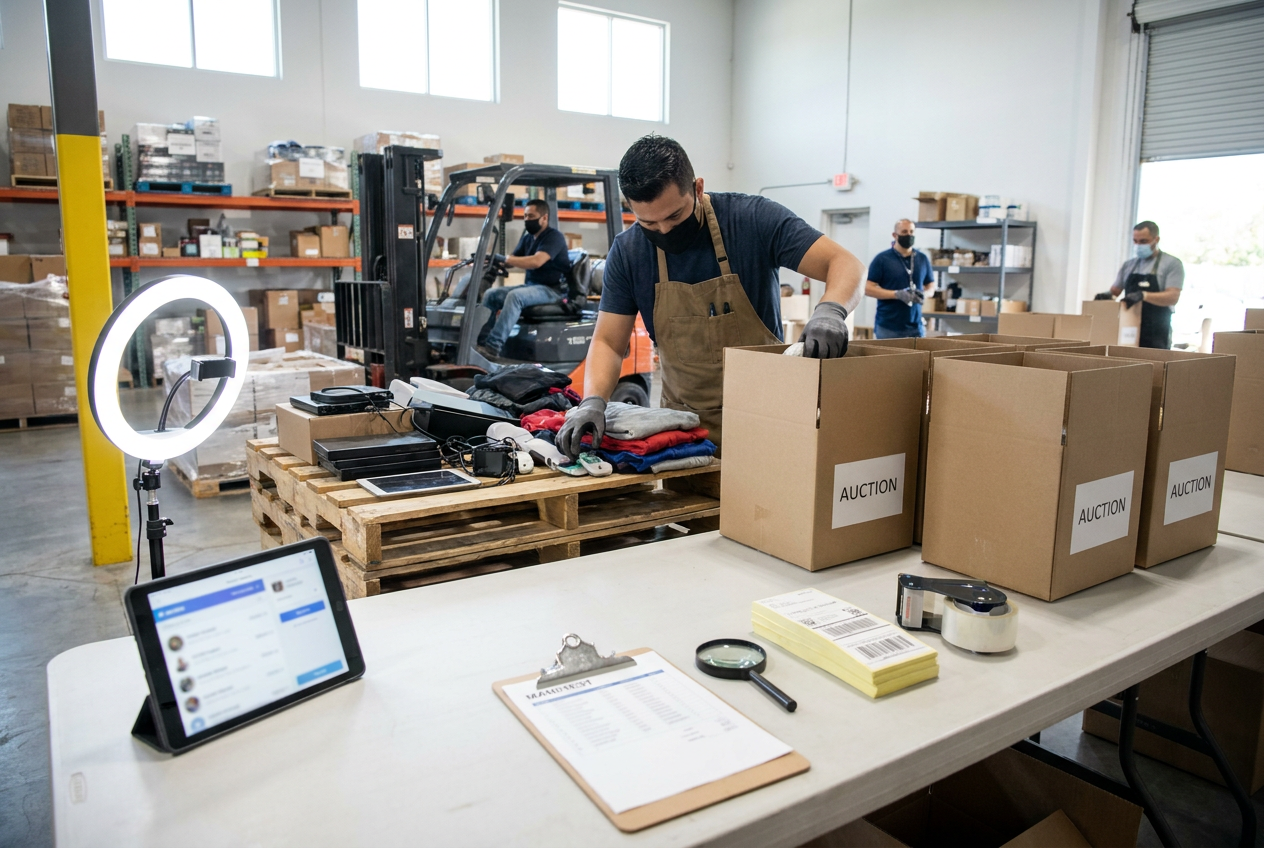
Selling liquidation on Whatnot starts before you turn on the camera. Your first job is turning mixed wholesale inventory into identifiable, accurately described lots that you can present, sell, and ship without losing track of individual items.
PalletCove Liquidation supplies category-level liquidation pallets and full truckloads to independent resellers from Dallas, Texas. Buying that inventory and selling individual pieces on Whatnot are separate transactions with different payment, fulfillment, and dispute rules. PalletCove’s as-is wholesale terms do not replace your responsibilities to marketplace buyers.
This guide covers the workflow from choosing a load to reconciling your first show. Whatnot’s fees, category permissions, and operational rules can change; verify the applicable requirements in its current Seller Hub, Community Guidelines, and Help Center before scheduling your sale. The planning examples below are not earnings forecasts.
1. Choose inventory that fits a live demonstration
A liquidation pallet is a bulk inventory unit containing merchandise sold through a secondary wholesale channel. A truckload is a larger purchase that may occupy a full trailer; it is not automatically a standardized quantity of pallets or saleable pieces. The listing determines the actual offering.
Start with the liquidation pallets inventory hub, then use the guide to liquidation pallet types to compare inventory sources. For a first show, prioritize merchandise you can identify, inspect, demonstrate, and package consistently.
| Inventory description | What it generally means | Live-sale preparation |
|---|---|---|
| --- | --- | --- |
| Overstock | Excess inventory not necessarily sold to a consumer | Check packaging, completeness, age, and item identity |
| Shelf pulls | Merchandise removed from a sales floor | Inspect for handling wear, stickers, fading, and missing packaging |
| Customer returns | Goods returned after a retail transaction | Check function, wear, accessories, and the actual reason for any defect |
| Salvage | Merchandise designated for repair, parts, or recovery | Determine whether sale is permitted and describe limitations precisely |
A condition grade is a supplier’s classification, not a universal standard. “Tier 2,” “open box,” and similar labels need a definition from the specific listing. None should substitute for inspection.
Compare general merchandise liquidation inventory with truckload inventory based on your testing equipment, storage, and audience. Product pages such as the Amazon General Merchandise Truckload and Shoes Truckload are starting points for evaluating available descriptions, not guarantees of a particular mix or condition.
PalletCove is an independent reseller and is not affiliated with, endorsed by, or sponsored by any retailer named.
2. Read the manifest and confirm the wholesale order
A manifest is an inventory document that may list descriptions, quantities, model numbers, or reference values. It is useful for planning, but it does not establish tested function, current market demand, or the condition of every unit. Ask whether the listing is manifested, whether counts are estimates, and whether substitutions or discrepancies are addressed in the terms.
Before ordering:
- Confirm the category, stated condition grade, quantity basis, and included inventory documentation.
- Clarify whether the load is palletized or floor-loaded and how it will be unloaded.
- Read the liquidation pallet buying guide and match the purchase size to your processing capacity.
- Confirm the listed total, delivery address, receiving contact, and any documentation required for your business.
- Save the listing, invoice, manifest, and written answers with the purchase record.
PalletCove accepts credit/debit card, ACH bank transfer, and domestic bank wire. Handling takes 1–3 business days after payment clears. Sales tax on qualifying orders is covered by PalletCove; ask what documentation establishes qualification rather than assuming every business purchase qualifies. Keep your resale certificate available when applicable.
Free shipping is the only delivery option on every PalletCove order to all 48 contiguous states. Freight is included in the listed price. Transit is typically 3–7 business days from Dallas, separate from handling time; consult the shipping policy and payment policy before ordering.
The same delivery framework applies when sourcing liquidation pallets in Texas or liquidation pallets in Florida. Do not schedule a show around an assumed arrival date before the inventory is received and processed.
3. Inspect delivery before building your sale catalog
An LTL shipment moves through a less-than-truckload freight network, while a full trailer shipment involves a larger load. Confirm the actual shipment configuration and receiving requirements before arrival. Palletized freight and floor-loaded cartons require different unloading plans.
On delivery day, compare the shipment identification and visible pallet or carton count with the paperwork. Photograph the load before unloading when safe, including wrapping, visible damage, labels, and any disturbed packaging. Record visible shortages or damage on the delivery receipt before signing when possible, and retain a copy.
Then count and inspect the contents promptly. Separate potential transit damage from existing merchandise defects: a crushed outer carton and a nonfunctional returned appliance are not automatically the same kind of claim.
All PalletCove merchandise is sold as-is for resale. Do not assume an ordinary consumer return window, guaranteed condition, or automatic reimbursement. Review the returns and claims policy and purchase terms for eligibility, evidence requirements, and deadlines. Report concerns promptly, retaining packaging and purchase records; documentation supports review but does not guarantee approval.
4. Turn bulk inventory into traceable live-sale lots
Create a receiving spreadsheet with a unique item ID, source load, model or size, test performed, defects, included accessories, storage location, and proposed auction floor. Track unsaleable inventory separately rather than spreading it invisibly into your show catalog.
Use three processing lanes:
- Ready for listing: identified, inspected, and sufficiently documented.
- Further work required: needs cleaning, testing, accessory matching, or research.
- Excluded from this show: unsafe, restricted, unidentified, or unsuitable for your audience.

Define exactly what each buyer receives. A lot might be one appliance, a matched pair of shoes, or a disclosed bundle of three household items. Avoid using “pallet item” as the entire description.
Write observations rather than optimistic labels. “Powers on; heating cycle not tested; lid has a crack; cord included” conveys more than “looks good.” A power-on check is not a complete functional test. For footwear, identify size markings, pair matching, sole wear, and visible defects.
The distinction between box damage and product damage matters on camera: show both, and never infer an undamaged item solely from intact packaging. Remove personal data from electronics, check recalls, and exclude goods you cannot sell safely or within platform rules.
Key takeaway: Wholesale as-is inventory still requires item-specific disclosures when you resell it; uncertainty should be disclosed, not converted into a condition claim.
5. Check Whatnot requirements and calculate auction floors
Complete Whatnot’s applicable seller onboarding and confirm permission to sell in your chosen category. Some products or categories have additional restrictions. Liquidation sourcing does not override rules covering counterfeits, recalled goods, prohibited products, authenticity, or misleading listings.
Review current rules before using surprise sets, randomized allocation, or any sale format where buyers do not know the exact item. For a first show, clearly identified individual lots are easier to explain and fulfill. Do not invite bids from your own accounts or arrange artificial bidding.
Understand the fee structure
For many standard US categories, Whatnot’s published baseline has been an 8% commission on the sale price plus payment processing of 2.9% of the total order value and $0.30 per transaction. Category exceptions, promotions, calculation details, and processing treatment can differ. Verify the current fee schedule for your account and category; these figures are a planning baseline, not a statement that every sale uses identical rates.
Processing calculations can include buyer shipping and tax, so simply subtracting 10.9% from the hammer price is not a complete calculation. Use your actual transaction breakdown to reconcile fees. PalletCove’s included freight concerns your wholesale purchase, not Whatnot’s separate buyer-checkout and label system.
Build a minimum acceptable price from:
- Allocated acquisition cost, including a realistic share of unusable units.
- Testing, cleaning, preparation, and selling labor.
- Packaging and any seller-funded marketplace shipping amounts.
- Applicable commission and processing fees.
- A reserve for mistakes, disputes, and other operating costs.
For example, an item allocated $6 in acquisition cost, $2 in preparation, and $1 in packaging already costs $9 before marketplace fees and other expenses. A $9 winning bid therefore does not recover all of those costs. Low starts create real downside; bids are not guaranteed to rise.
Check payout eligibility and timing in your account. A completed auction does not necessarily mean proceeds are immediately available to finance another load.
6. Build a show that favors clarity over speed
Prepare the listings before going live. Use accurate titles, appropriate categories, clear photographs, item IDs, disclosed condition, and shipping profiles based on packed weight and dimensions. Select shipping settings according to Whatnot’s current instructions rather than guessing from the item’s weight alone.
A manageable first-show plan might include 20–30 inspected lots, with backups kept separate. This is an operating suggestion, not a platform requirement or a prediction of sales.
Use a repeatable presentation sequence
- State the lot number and identify the exact item or bundle.
- Show relevant surfaces, labels, accessories, and defects close to the camera.
- Explain what was tested and what remains unknown.
- Answer questions before starting the auction.
- Confirm the listing and acceptable starting price, then launch it.
- Move the sold item to a numbered holding location immediately.
Budget roughly one to two minutes for simple presentations, longer for demonstrations or questions. Explain the selected auction timer behavior; use fast-ending formats only when you understand their current operation and buyers have had adequate viewing time.
Avoid filling slow moments with unsupported retail-price comparisons or earnings claims. If an item needs further inspection, withdraw it before auctioning rather than improvising an assurance. A helper can monitor questions and label sold inventory while you present.
7. Fulfill orders and reconcile the show
Whatnot generally requires sellers to ship within two business days, subject to applicable exceptions and current policy. Confirm the deadline shown for your orders and plan your show around carrier availability. PalletCove’s 1–3-business-day wholesale handling time does not apply to your Whatnot customer orders.

After the show, work from the platform’s order records rather than memory or chat usernames. Match each item ID to its order, confirm contents, protect fragile areas, and use packaging appropriate to the product. Retain a packing record for higher-risk items.
Follow Whatnot’s current label, bundling, and shipment-adjustment workflow. Do not independently combine orders in a way that breaks tracking or use one label for multiple unapproved parcels. Verify packed weight and dimensions before dispatch, and obtain a carrier acceptance record where available; printing a label is not the same as handing over a parcel.
Handle buyer concerns through Whatnot’s prescribed support process. Your wholesale supplier’s as-is terms do not eliminate marketplace buyer protections for damaged, incorrect, or materially misdescribed orders.
Finally, reconcile winning prices, fees, packaging, labor, adjustments, and payouts. Review unsold lots and inventory still awaiting testing. Common mistakes include counting every received piece as saleable, confusing reference retail values with achievable prices, and purchasing another truckload before understanding the first load’s processing burden.
Frequently asked questions
Can I sell customer returns on Whatnot?
Generally, customer-return inventory can be sold when the specific item and category comply with current Whatnot rules. Disclose its actual condition, missing parts, and testing limitations; a wholesale return designation alone is not an adequate description.
Do I need a manifest for every live-sale item?
A supplier manifest helps with receiving and inventory control, but it does not replace your item-level listing. Assign each sale lot an ID and document what the buyer will receive, even when the original load is unmanifested.
Should I start every auction at $1?
Only if you are prepared to accept that outcome for the particular lot. Establish a cost-based floor first, because audience size and competitive bidding cannot be assumed.
Is PalletCove shipping included in my purchase?
Yes. Free shipping is the only delivery option on every order to all 48 contiguous states, with freight included in the listed price. Handling is 1–3 business days after payment clears, and transit is typically 3–7 business days from Dallas.
Can I pass an as-is disclaimer through to my buyers?
You can explain that an item is untested or defective where its sale is permitted, but blanket disclaimers do not replace accurate disclosures. Whatnot’s applicable buyer-protection and seller-conduct rules still govern your marketplace transaction.
Talk to PalletCove Liquidation
Choose a load you can receive, inspect, store, and describe confidently before committing to your first live sale. For listing details and ordering questions, contact our order desk or review current inventory.
- Business: PalletCove Liquidation LLC
- Address: 4820 Cove Industrial Blvd, Dallas, TX 75236
- Phone: (713) 819-3904
- Email: sales@palletcoveliquidation.com
- Hours: Mon–Fri 8:00 AM – 6:00 PM CT, Sat 9:00 AM – 2:00 PM CT, Sun closed